> For the complete documentation index, see [llms.txt](https://magecomp-docs.gitbook.io/adobe-apps/llms.txt). Markdown versions of documentation pages are available by appending `.md` to page URLs; this page is available as [Markdown](https://magecomp-docs.gitbook.io/adobe-apps/documentation/google-indexing-adobe-app/create-indexing-api-project.md).
# Create Indexing API Project
**Step 1:** Go to the **URL** below to create a new Indexing API Project
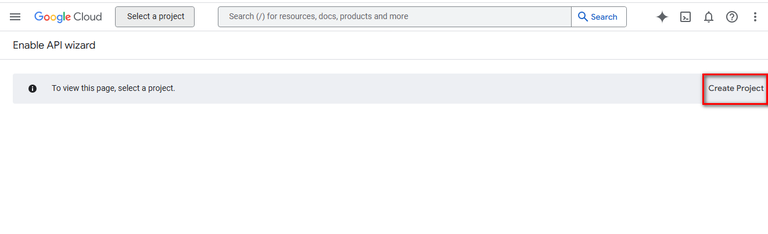
**Step 2:** Click on **Create Project**
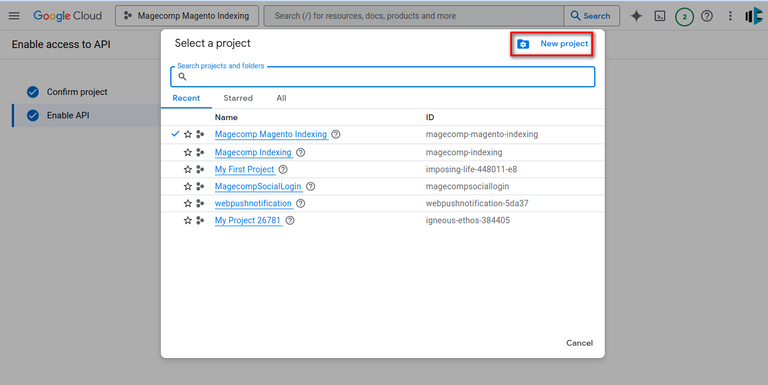
Alternatively, you can select **New project** from the pop-up.
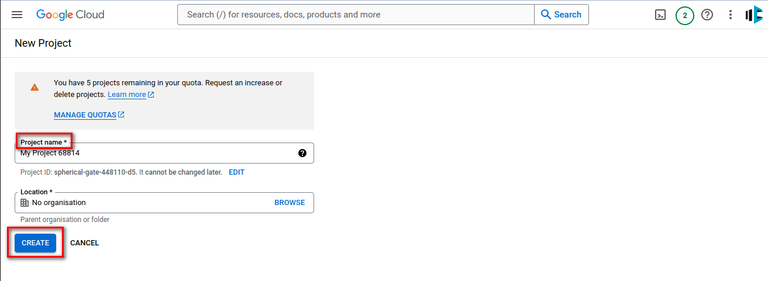
**Step 3:** Enter the **Project name** and click on the **Create** button.
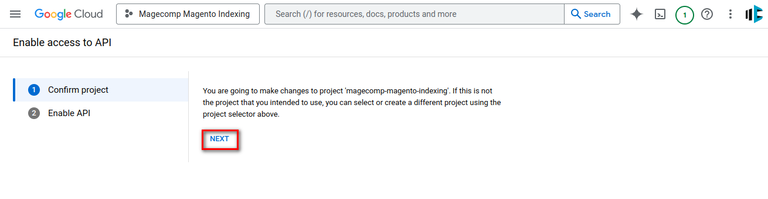
**Step 4:** Once you create the project, you will be redirected to the screen below. Confirm that the selected project is the one that you have created for instant indexing API. You can select your project from the project selector in the header. Then click on the **Next** button.
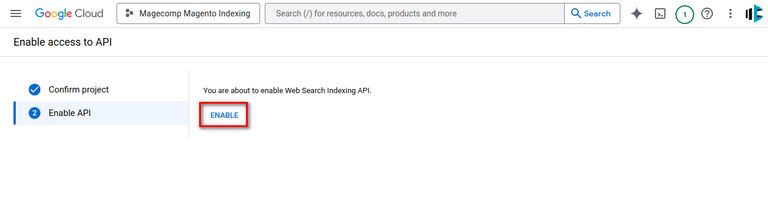
**Step 5:** Then, click on the **Enable** option.
Now you can close this tab.